×Opening window after window, starting each AI by hand, passing output around by copy and paste.
✓Ask one, and it calls in the other AIs and manages the rest.
Give one agent the job. From there, agents manage agents.
Opening window after window, starting each one by hand,
copy-pasting between them — not anymore.
The more AIs you use, the more there is to launch, hand off, and watch. Phlox hands all of it to an AI.
All you do is supervise.
This is what makes Phlox different. Hand a task to one AI and it calls in the other AIs it needs, gives them instructions, waits for them to finish, and clears them away when they're done. No launching window after window, no passing output around by hand.
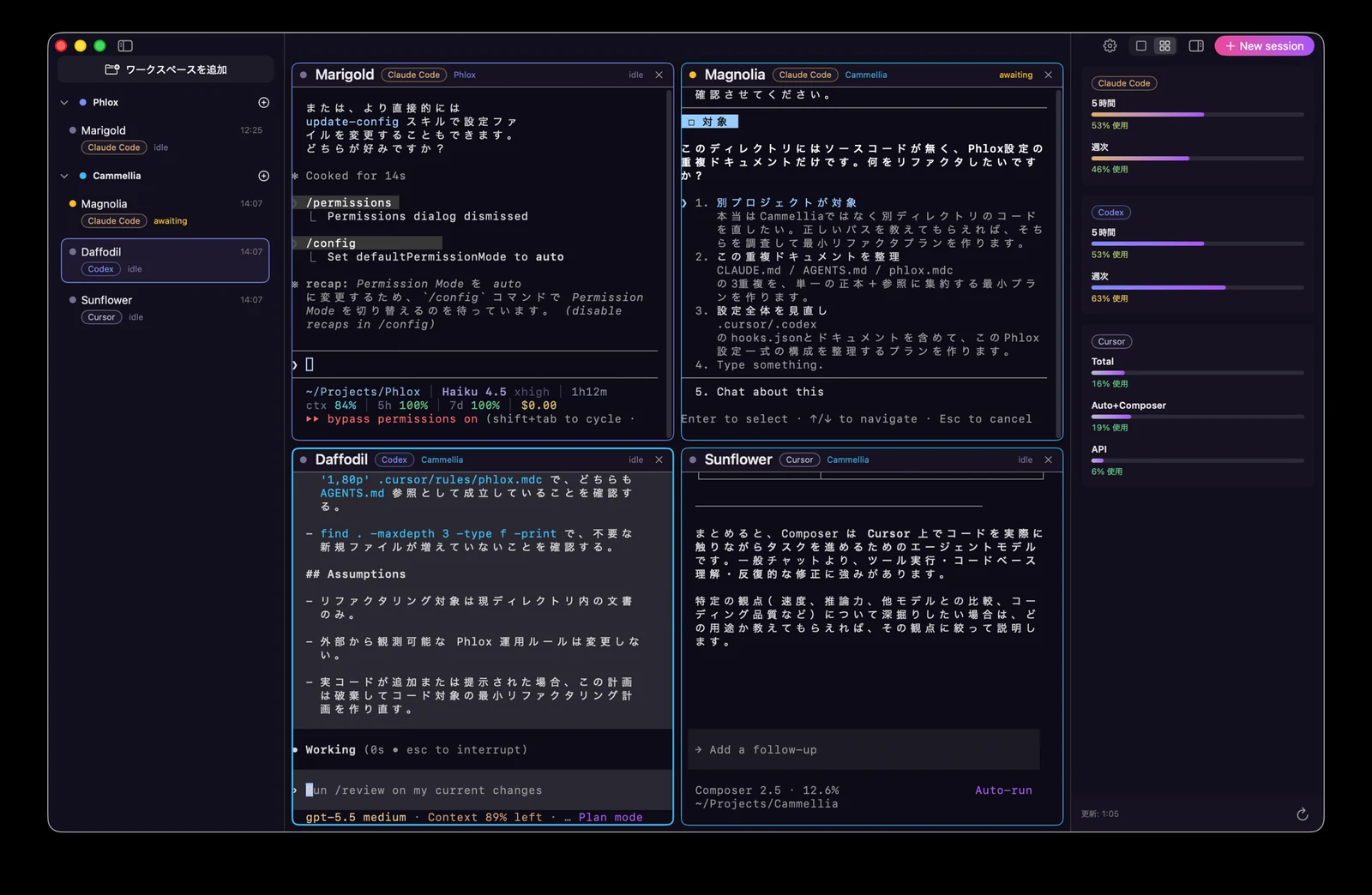
Each AI's usage in the side panel — across 5-hour, weekly, and total limits. See what's left at a glance.
Claude Code, Codex, and Cursor each run in their own pane at the same time. No tab-juggling, no losing track of what's doing what.
Just say what you want done. The AI takes it from there, and completion is detected automatically — so you can move on.
Working, idle, or waiting for input — even when an agent is stuck on a question, it's detected automatically, with a notification the moment you're needed. Nothing stalls unseen.
Group by project, filter which AIs you see, switch view modes (⌃⌘G), and toggle the sidebar (⌘B). Arrange it however works for you.
Grab the macOS app, drop it in Applications, and launch. Signed and notarized — no scary warnings.
Pick Claude Code, Codex, or Cursor and start it.
From there, that AI calls in the others it needs and runs with it. You'll get a notification when it's done.